

1. Product Positioning
Most tools that turn photographs into video are template players. You choose a layout, drop in images, pick a track and export. The output is acceptable and the ceiling is low: no per-image motion control, no compositing, no way to treat a photograph as a piece of footage rather than a slide.
The Photo Video Editor SDK from Meishe takes the editor’s view instead. A still is a clip with a duration, and it sits on the same multi-track timeline as video. It can be trimmed, layered, masked, keyframed, graded, transitioned and captioned using the same operations a video editor would use, and it can be interleaved with real footage in either order. That is what makes album pieces, memory videos and mixed-media marketing content possible without a separate toolchain for each medium.
The engine underneath is Meishe’s cross-platform audio/video core, so the same project can be opened on iOS, Android, Web and desktop (Windows). Resolution handling extends to 16K image processing, which matters more than it sounds: a high-resolution photograph can be cropped into, pushed into and reframed without the softness that appears when a still is pre-downscaled to fit a video canvas.
2. Core Capabilities
Stills as timeline clips
Every photograph enters the timeline as a clip with an editable duration and the same trim, split, reorder and layering operations as video. Clips can be stacked, masked and matted for composite work, which is how collage frames, cut-outs and layered album pages are built rather than approximated with a template slot.
Motion on stills
Position, scale, rotation, opacity and effect intensity animate over time with keyframes whose interpolation curves are editable. Slow push-in, drift across a wide image, a held frame that settles into place, and acceleration that matches the music are all expression rather than preset selection. Duration is independent per image, so a single frame can hold while the rest move.
16K image handling
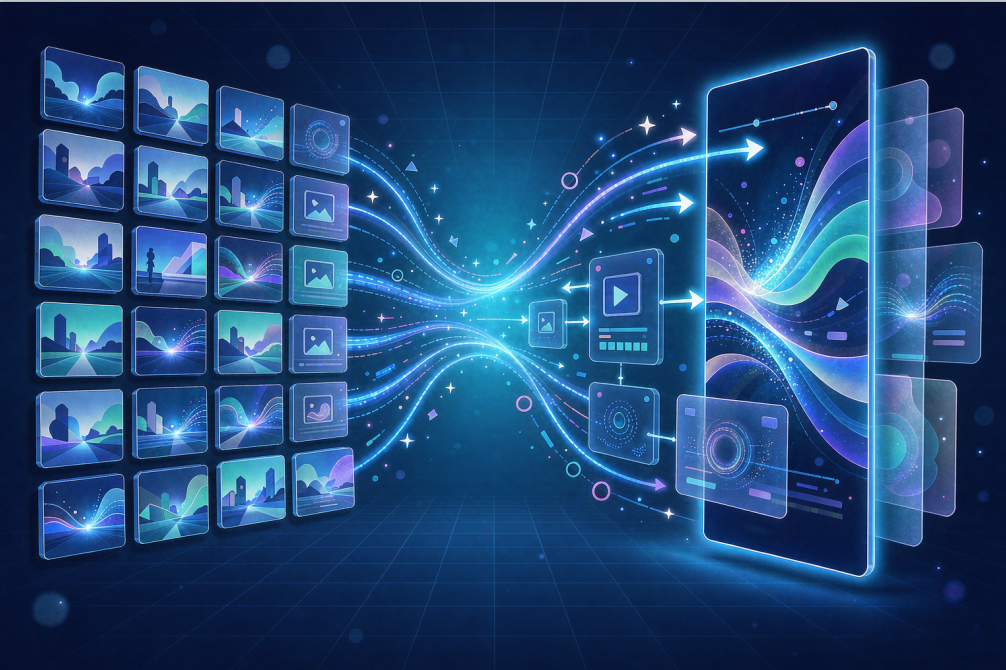
Image processing up to 16K means a large photograph does not have to be reduced before it is used. Reframing within the source, cropping for a different delivery aspect, and exporting a vertical cut and a landscape cut from the same project all stay sharp, because the engine works from the source resolution instead of an intermediate.
Effects, transitions and grading on stills
Professional color grading with complex animation, foreground and border elements and adjustable intensity applies to photographs as it does to video. Transitions span 2D and 3D families including vertex stretch, lens flare, pixel diffusion and rotation. Timeline effects such as repeat and time-reversal work on mixed selections, and slow motion applies to the footage segments in the same project.
Audio bed
Multiple audio tracks carry narration, music and ambient layers independently. A 30-band graphic equalizer covering low, mid, upper-mid and high bands, audio effects, mixing, and speed change with pitch handling are available, so a soundtrack can be balanced and treated without leaving the project.
Captions and AI assistance
The full subtitle feature set applies over photographs: complex animation, per-character motion, scalable background plates, artistic combined layouts, rich-text editing, static and animated bubble subtitles and dynamic highlighted captions. Portrait and background segmentation allows subjects to be cut out of stills and composited; intelligent color correction and AI subtitles cover the rest of the automated assistance.
3. Media Handling and Platform Support
| Concern | How it is handled |
|---|---|
| Stills and video in one project | Both are clips on the same multi-track timeline |
| Source resolution | Image processing up to 16K; video editing up to 8K |
| Reuse of a project across aspect ratios | Reframe and crop from source rather than re-export |
| Output | Timeline resolved at up to 8K, HDR export in HLG or ST 2084, mixed HDR/SDR timelines |
| Platforms | iOS, Android, Web, desktop (Windows), smart hardware; projects, effects and modules interoperate |
| Interface | SDK default UI, custom components, or a mix |
Because projects, effects and modules interoperate across Meishe clients, a photo video started on a phone and finished in a browser is one project, not two versions reconciled by hand.
4. Technical Advantages
- Real-time rendering without pre-processing. Effects are evaluated during preview and export rather than baked in a preparation pass, so grading and motion changes on a still are visible immediately and the export matches what was seen.
- Source-resolution image processing. 16K image handling keeps reframing and cropping inside the original detail instead of an intermediate render.
- Full NLE depth applied to photographs. Multi-track editing, frame-accurate operations, keyframe animation with curve editing, masks and mattes work on stills, not only on video.
- Modest footprint. Around 3 MB for the SDK itself, with beauty, AR, AI and template modules loaded only when invoked.
- HDR-aware pipeline. HDR preview while editing, mixed HDR/SDR timelines, and HLG or ST 2084 export, so photographs and footage with different dynamic ranges can share a timeline.
- Materials ship as content. Filter packages, caption styles and template layouts are produced with Meishe’s material tools and released as assets, independent of application releases.
- One engine across clients. Identical behaviour on every supported platform follows from shared code rather than from matched implementations.
5. Use Cases and Target Users
| Scenario | What teams build | Capabilities that matter |
|---|---|---|
| Gallery and album apps | Memory videos and slideshows generated from a user’s own library | Stills as clips, per-image motion, audio bed |
| E-commerce and marketing | Listing and campaign videos built from product photography | 16K reframing, grading, templates for batch work |
| Social and entertainment | Photo-based posts and stories with motion and captions | Keyframe motion, animated captions, filters |
| Education and training | Illustrated explainers combining diagrams, stills and footage | Mixed timeline, captions, multi-track narration |
| Broadcast and media | Documentary and archive sequences built largely from stills | Source-resolution cropping, HDR-aware output |
| Events and photo services | Wedding, travel and graduation pieces delivered to customers | Template workflows, consistent branded output |
Who it is for: teams whose source material is mostly photographs but whose output is video, and product teams adding photo-video creation to an existing gallery, marketplace or content application.
6. Integration and Services
Production-ready demo source code is provided for each package. The worthwhile early exercise is to assemble one mixed project by hand, meaning a few photographs, one video clip, a music track and a caption style, and take it through to export. That single pass covers import, duration defaults, keyframe application and the export path, which are the parts a team will customise.
Meishe supplies material authoring tools with training, so filter packages, caption styles and photo-video templates can be produced by design staff and shipped as content. Custom feature and effect development is available for requirements beyond the standard library. Each client is assigned a project team with 1-to-1 technical support, and SDK upgrades are included. Integration Skills for AI coding assistants including Codex, Qoder, Claude Code and Cursor are published, so agent-based development can wire up the SDK against current interfaces.