

A face beauty SDK integration is mostly plumbing, and plumbing is where cross-framework projects lose their schedule. The retouching itself is rarely the hard part: the engine detects a face, places landmarks, and redraws. What eats weeks is deciding who owns the camera surface, who drives the render loop, and how many times per second your parameter changes cross a language boundary. Get those three wrong and every retouching adjustment arrives a frame late.
The good news is that only those three things differ. Meishe Face Beauty SDK runs on one cross-platform audio/video processing engine — the same core used across the product family — so the detection pipeline, landmark model, parameter semantics, and asset format are identical on iOS, Android, Web, Desktop (Windows), smart hardware, Flutter, and React Native. What changes is how each target reaches the engine.
Below is how that mapping works in practice, including one target with an explicit scope worth knowing before you plan a sprint around it.
1. Product Positioning
Meishe Face Beauty SDK is a retouching module set covering face reshaping, skin smoothing, and virtual makeup compositing, all evaluated in real time from a shared detection pass with no preprocessing stage. It is built for teams that own a product surface — a camera, recorder, or editor — and need retouching inside it. It targets iOS, Android, Web, Desktop (Windows), smart hardware, React Native, and Flutter, the last supported through the short-video solution for cross-framework teams. It is a processing layer, not a finished application: recording UI, permission prompts, and upload flows stay yours.
2. What actually differs between native and cross-framework integration
Strip away the frameworks and three integration facts remain.
Surface ownership. Something has to own the pixels. On native targets your own view layer does. In a cross-framework app, a native surface is managed behind a framework widget or component, and that indirection determines how many copies a frame makes before it reaches the screen.
Loop ownership. Retouching is a per-frame operation. Whatever drives frames — a camera callback, a display link, a texture registrar — must run at that cadence without waiting on UI work in another language.
Change transport. Users move sliders, switch looks, and toggle AR props. Those changes cross a boundary. Batch them, version them, or you will ship a UI that lags behind touch input.
Everything else — detection cadence, landmark stabilisation, boundary handling — belongs to the engine and behaves the same everywhere.
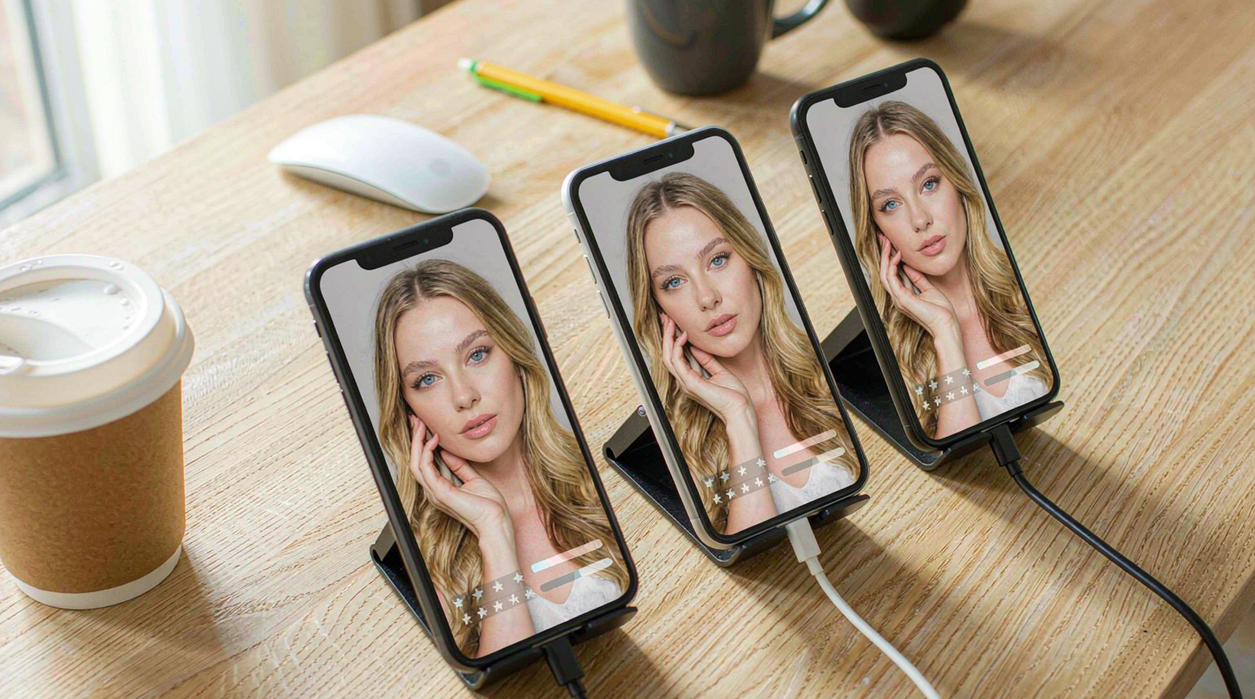
3. The native path on iOS and Android
Native targets are where the shortest path lives. The camera delivers frames to the pipeline directly, the rendering surface is a first-class view in your own hierarchy, and parameters are method calls with no marshalling in between.
The work here is not plumbing but product. Reshaping exposes parameters per region — chin, eyes, jaw, and other subsets — and how many of them reach the user is a product decision rather than a technical limit. Most shipping apps expose a small slider set and bake the rest into authored looks, because an unused third page of controls does not improve results.
The snippet below is schematic. Method names, module names, and signatures are illustrative and do not represent the shipped API surface.
// Illustrative: one session shape shared conceptually by every native binding.
interface BeautySession {
  // Detection runs at a configured cadence; frames between pending.
  configureDetection(opts: { minConfidence: number; cadence: number }): Promise<void>;
  setSmoothing(level: number, protect?: Array<"eyes" | "brows" | "lips" | "hairline">): void;
  setReshaping(regions: Partial<Record<"chin" | "jaw" | "eyes" | "nose", number>>): void;
  applyMakeup(elementId: string, intensity: number): void;
}

declare const session: BeautySession; // provided by the native binding on iOS / Android

await session.configureDetection({ minConfidence: 0.72, cadence: 3 });
session.setSmoothing(0.4, ["eyes", "brows", "lips", "hairline"]);
session.setReshaping({ chin: 0.1, jaw: 0.06 });
session.applyMakeup("lip.tint.rose", 0.6);
4. Flutter through the short-video solution
Flutter support arrives through the short-video solution, not as a separate language binding stubbed by hand. That framing matters for planning: you integrate a solution that already contains the retouching chain, rather than assembling engine modules one by one in Dart.
Practically, that means two things. Frames never enter Dart memory for processing — the engine-side render surface owns them, and Flutter composes the result. And asset packages, looks, and parameters are the same objects you configured natively, so a look authored once behaves identically in the Flutter build.
If your Flutter app also carries a record or capture flow, start there: the short-video solution covers that surface, and the retouching chain comes with it rather than being retrofitted afterwards.
5. React Native: keeping the render loop out of the JS runtime
React Native has one rule that decides whether retouching feels native or not: per-frame work belongs on the native side. Modern React Native gives you TurboModules and JSI for direct, typed native access, and Fabric for rendering disciplines that no longer round-trip everything through a bridge queue. Use them for parameter changes and events. Do not attempt to drive frames from JavaScript — the JS layer issues “apply look X” once, not once per frame.
Preview surfaces need the same care. Whether you attach a platform view or a texture-backed layer, the requirement is ownership: the native surface produces frames, React Native composes them. If your integration instead funnels pixel buffers across the boundary, no amount of tuning will recover the budget.
Support follows the same modular pattern as everything else here: Meishe offers Integration Skills for AI coding assistants including Codex, Qoder, Claude Code and Cursor, alongside 1V1 engineering assistance during integration.
6. One parameter model across four targets
| Concern | iOS | Android | Flutter | React Native |
|---|---|---|---|---|
| Retouching operations run on the engine side | Yes | Yes | Yes | Yes |
| Per-frame render loop crosses the framework language | No | No | No | No |
| Frames enter the framework’s managed memory | No | No | No | No |
| Shared landmark model and detection cadence | Yes | Yes | Yes | Yes |
| Same asset packages, authored once | Yes | Yes | Yes | Yes |
| Up to 8K video editing, 16K image processing | Yes | Yes | Yes | Yes |
| Scope note | Native binding | Native binding | Supported through the short-video solution | Surface must stay native-owned |
What this mapping does not give you
Uniformity has a ceiling. On every target the effect only exists where detection succeeds, and detection has honest failure modes: tighten the confidence threshold and faces drop out on a hard turn or in dim light; loosen it and you will find retouching applied to a poster behind the subject. Temporal behaviour has the same character — landmark positions jitter slightly frame to frame, and that jitter becomes visible flicker in reshaping and makeup at exactly the small, conservative levels users prefer. Neither issue is platform-specific, which is precisely why fixing it once in the engine fixes it everywhere.
FAQ
Is Flutter support a hand-written Dart binding?
No. Flutter is supported through the short-video solution, which already carries the retouching chain. You integrate that solution and configure looks and parameters rather than rebuilding them in Dart.
Should the camera preview surface live in React Native’s view tree?
The pixels should not. Use a native-owned surface — a platform view or texture-backed layer — and let React Native compose it. Routing frame buffers through JavaScript is the single most common reason an integration feels slow.
Do parameters behave identically across all four targets?
Yes. The detection pipeline, landmark model, and asset format are shared, so a look with the same identifiers and intensity values evaluates the same way everywhere. Differences you observe come from the host environment, not from the retouching definitions.
How much of the reshaping control set should we expose?
That is a product decision. The engine can expose parameters per region — chin, eyes, jaw, nose — but shipping every one of them rarely helps users. Most teams expose a small subset and encode the rest inside authored looks.
Is desktop part of this mapping?
Desktop means Desktop (Windows) here. Other desktop operating systems are not part of the official target list, so plan accordingly if your roadmap assumes them.
Ready to see it in your own stack? Request a free trial or talk to our integration team — we’ll help you scope the modules you actually need.