

“Top” applied to a face beauty SDK almost always means a vendor list, and a vendor list tells you nothing useful about mobile. Six products can advertise the same generic-sounding capability — retouching in an app — and differ completely in how they spend a frame budget to get there.
So the six items below are not suppliers and not scenarios. They are six things to demand evidence for, one per stage of the pipeline that actually decides what a user sees. That reframing survives contact with your own roadmap in a way a ranking does not, because every row is something you can ask a supplier to demonstrate on your fixtures and your devices. Meishe Face Beauty SDK appears throughout as the reference implementation, and every row below is answered with concrete behaviour rather than adjectives.
1. Product Positioning
Meishe Face Beauty SDK performs face reshaping, skin smoothing, and virtual makeup compositing from one detection pass per frame, rendered in real time with no preprocessing stage. Its targets are iOS, Android, Web, Desktop (Windows), smart hardware, React Native, and Flutter — supported through the short-video solution. It is a processing layer for applications that already own a capture or editing surface. Mobile work concentrates on iOS and Android, where hardware diversity and thermal behaviour matter more than headline capability. The pages below are written for teams who need to know what to test rather than who to shortlist, and assume retouching is tuned as pipeline parameters rather than as one global preset.
2. Six things to demand evidence for
| Stage | What it is | What to demand evidence for |
|---|---|---|
| Face detection | Locating how many faces are present, where, and with what confidence | Behaviour on partially turned faces, in low light, and when a poster or reflection is in frame |
| Landmark sharing | Reference points on contour, eyes, brows, lips, and nose — one set feeding reshaping, smoothing, and makeup | Proof that adding a makeup element does not add a second full analysis |
| Detection cadence | Full detection on downsampled frames, with tracking or landmark reuse between them | What this parameter is set to on your lowest-tier device, and what it costs you there |
| Temporal stability | Cross-frame stabilisation of landmark motion | Flicker at the small conservative settings users actually pick, not at the default |
| Reshaping | Geometry anchored to landmarks, with surrounding image warped — structure rather than a texture overlay | Which regions are exposed per-region, and how much surrounding warp your art direction tolerates |
| Smoothing and makeup layers | Smoothing limited to the skin region detection defines, boundary handling in the same pass; makeup composited as a layer above | Detail retention at eyes, lips, and hairline, and consistency across lighting setups |
Read the right-hand column as a purchase order rather than a checklist. Every row names something you can request and then verify yourself, which is the whole point: a ranking tells you what a supplier claims, while these rows tell you what to make them show you, on your fixtures and your devices.
3. Detection: sensitivity trades against itself
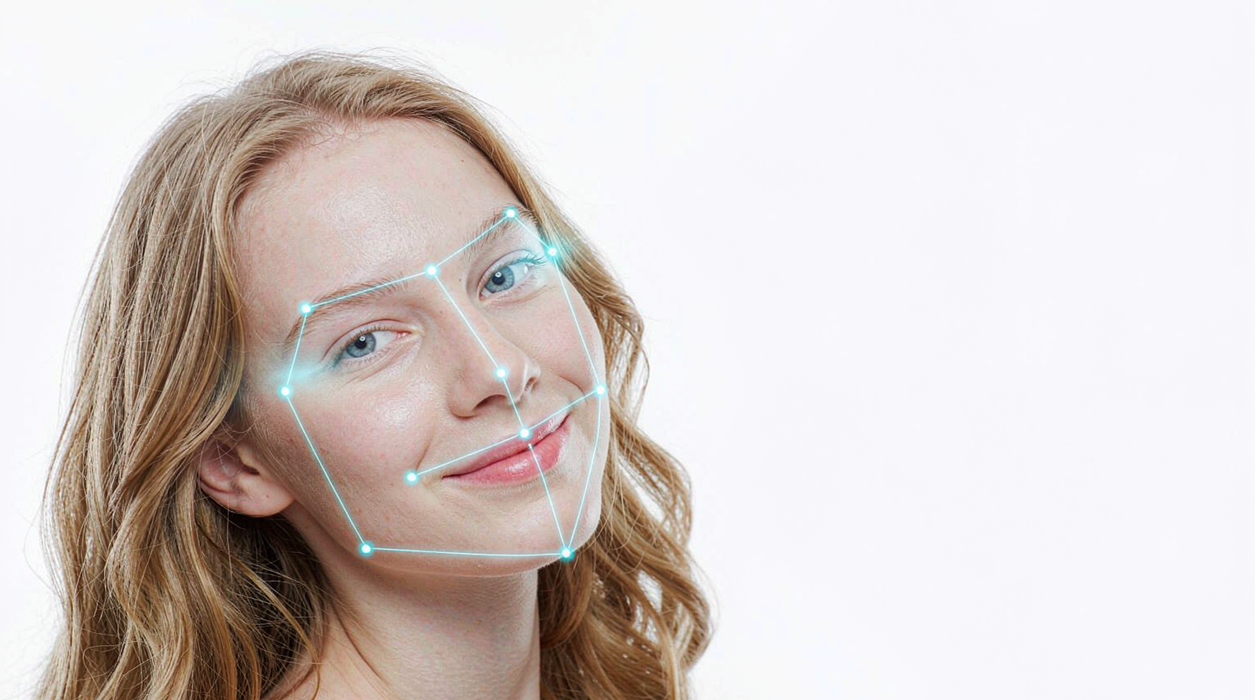
Face detection locates how many faces are in frame, where they are, and how confident the result is. The sensitivity setting cuts both ways, and there is no position on the line that escapes it.
Set it too strict and the effect drops when a face is partially turned or poorly lit — a user turning to speak to someone beside them loses retouching mid-sentence. Set it too loose and the effect attaches to a poster on the wall or a reflection in a window. Single-subject camera paths usually prefer strict detection with a stable result; crowded frames force a looser setting and accept the noise.
What to ask for is not a sensitivity number but a demonstration: your own clips, including the ones where the subject is half-turned, backlit, or not the only face in shot.
4. Cadence and temporal stability
The next two rows are where mobile budgets are actually won or lost, and they are usually invisible in a feature list.
Detection cadence is a design parameter rather than a fixed cost. Full detection typically runs on downsampled frames, with intermediate frames tracked or reusing landmarks. The parameters a user sees do not change; the per-frame cost does. That makes cadence the main lever for fitting a retouching chain into the budget of a low-end device, which is why it belongs in your evaluation rather than in a supplier’s defaults.
Temporal stability is the one most easily missed until it is too late. Landmark positions shifting by fractions of a degree produce visible flicker in reshaping and makeup, because both are anchored to those points. Cross-frame stabilisation decides whether a small adjustment reads as steady or as shimmering.
The counter-intuitive part is where it bites hardest: at the bottom of the intensity range. A heavy look masks small drift; a conservative professional preset exposes it. Since conservative settings are what most real users choose, stability has to be tested there and not at the default.
5. Reshaping and smoothing: geometry and skin region
These two are frequently discussed as one thing and are not.
Reshaping adjusts geometry using landmarks as anchors, with the surrounding image warped to follow. It changes structure rather than painting over it. How many regions are exposed — chin, jaw, eyes, and which subsets — is a product decision rather than a technical limit, so it is a fair thing to ask about directly.
Smoothing depends on detection to decide what counts as skin. Applied across the whole frame it costs detail everywhere at once: eyes, lips, hair, and background all soften together. Limited to the region landmarks define, boundary behaviour at the eyes, brows, lips, and hairline is handled inside the same processing pass rather than by stacking an edge mask afterwards. That distinction is what separates a result that looks retouched from one that looks out of focus.
Makeup compositing sits above both. Elements are placed by landmark, so lip colour follows the lips, and because compositing happens as a layer on the already-processed frame it is independent of smoothing and reshaping — changing one does not force a recomputation of the others.
The snippet below is schematic. Profile names, fields, and helpers are illustrative and do not represent the shipped API surface.
// Illustrative: one tuning profile expressed as pipeline parameters.
type RetouchProfile = {
  cadence: number;                                  // full detection every N frames
  minConfidence: number;                            // sensitivity: strict or permissive
  smoothing: { level: number; protect: string[] };  // protected boundary regions
  reshaping: Record<string, number>;                // per-region geometry
  makeupIntensity: [number, number];                // curated range, not one fixed value
};

const conservative: RetouchProfile = {
  cadence: 4,
  minConfidence: 0.78,
  smoothing: { level: 0.25, protect: ["eyes", "brows", "lips"] },
  reshaping: { chin: 0.04 },
  makeupIntensity: [0.1, 0.3],
};
6. What stays constant across all six
Two constraints hold regardless of how the parameters above are set, and both are worth stating before you evaluate anything.
Consistency across lighting is not a rendering promise. Rendered colour lands inside the exposure and white balance of the frame it is given, so the same parameter set reads differently under daylight, indoor mixed light, and backlighting. Pairing smoothing with AI colour correction is what keeps one setting looking consistent across setups; without it, a preset tuned indoors drifts when the same subject moves outdoors, and a preset tuned on one presenter reads differently on the next. Plan to re-check defaults per lighting setup rather than once per release.
Perceived consistency comes from curation, not from the renderer. No setting makes one element look identical on every face, because faces differ in tone, undertone, and texture. What works is a curated intensity range per element plus a controlled default, which is a content decision your team owns.
We state both plainly because lists that omit them are doing marketing. The six rows above are still worth differentiating — they change which evidence you demand, which is the only thing a buyer can act on.
FAQ
Why not rank suppliers for mobile?
Product-specific rankings rarely publish fixtures, device identifiers, or thresholds, so they cannot be checked. Pipeline behaviour survives scrutiny internally because it can be demonstrated on your own material.
Which of the six is hardest to evidence?
Temporal stability. It needs a sustained session rather than a clip, and it is most visible at the conservative settings that are easiest to skip in a demo.
Do different parameter sets need different engine builds?
No. One engine and shared asset packages cover them. What changes is the profile — cadence, thresholds, protected regions, and curated intensity ranges — which you ship as data.
Is colour fidelity at the lip and eye boundary achievable through rendering alone?
No. Rendering follows the image it is given; it does not correct the room. Pairing with colour correction and curating per-element intensity ranges is what produces usable results across lighting and skin tones.
Where should conservative defaults sit, and why does it matter?
Low. Conservative presets are what most users want, and they are also the settings where instability shows most clearly — so the bottom of your intensity range is both your default case and your hardest test case.
Ready to see it in your own stack? Request a free trial or talk to our integration team — we’ll help you scope the modules you actually need.