

Automation in a face beauty SDK is rarely about automating analysis — detection already runs itself at whatever cadence you configure. The tedious, error-prone layer is everything above it: deciding which parameter values ship as “natural”, keeping those values consistent across four lighting setups and six faces, and updating them without touching application code. That layer is where most teams quietly spend their maintenance budget.
Meishe Face Beauty SDK treats that parameter layer as an authored, versioned surface rather than as constants buried in a view controller. This article describes what that means in practice: presets and named tiers, per-region parameters held inside controlled ranges, one parameter set behaving consistently across lighting setups, and the operational loop that lets non-engineers ship changes.
1. Product Positioning
Meishe Face Beauty SDK performs face reshaping, skin smoothing, and virtual makeup compositing from one detection pass per frame, rendered in real time with no preprocessing stage. Targets are iOS, Android, Web, Desktop (Windows), smart hardware, React Native, and Flutter — supported through the short-video solution. Automation here means authored parameter objects rather than hardcoded values: named presets, per-region parameters held inside curated ranges, and asset packages that ship as data. Your application still owns UI and export. The audience here is teams maintaining several retouching entry points at once, since that is where unmanaged parameter values start to diverge between surfaces.
2. Automating the parameter layer, not the render layer
There are two candidate layers, and only one rewards automation.
Render layer. Reshaping anchors to landmarks and warps surrounding pixels; smoothing operates inside landmark-bounded regions with boundary behaviour handled in the same pass; makeup composites as a layer above the processed frame. These are deterministic operations — nothing to automate beyond choosing whether to enable them.
Parameter layer. Which value counts as natural; which chin and jaw values suit your audience; how much range to allow a user; what happens when the same element meets a different skin tone. Every answer here is a judgement call that someone revisits, and every one of them currently lives in code at most companies.
Automating the second layer is the whole point. Requests stops being “engineer open a pull request” and becomes “author adjust a value inside a validated range”.
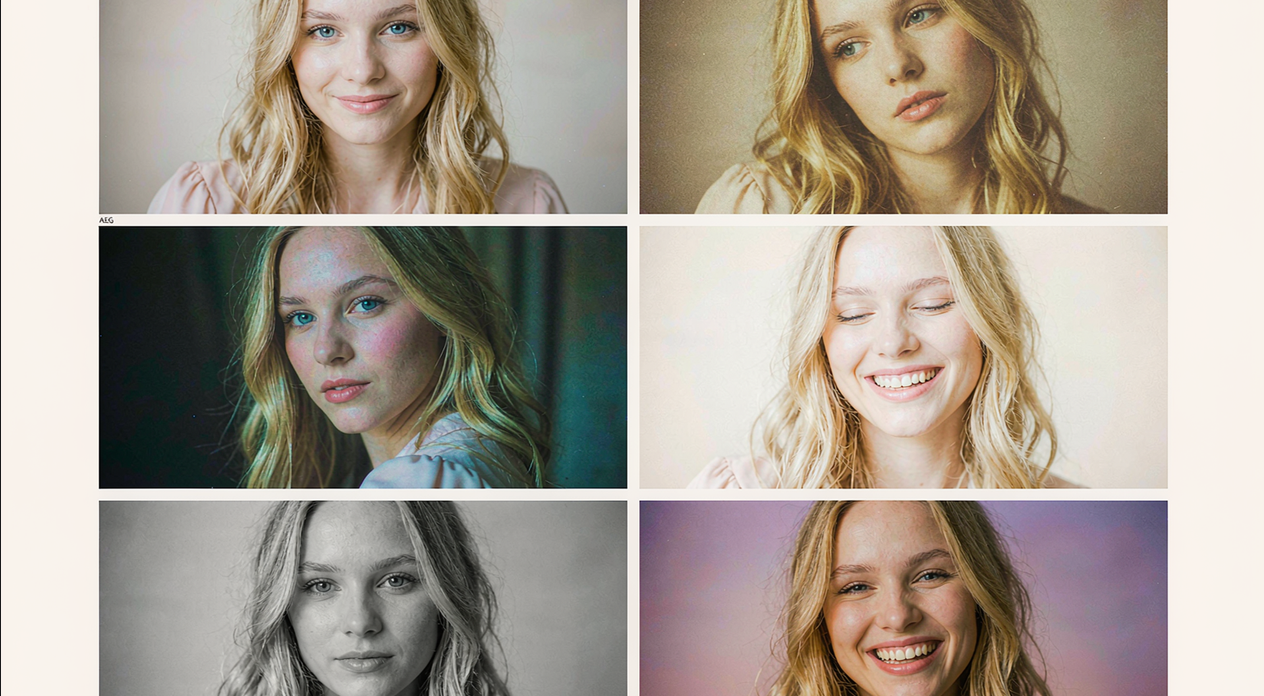
3. Presets and named tiers
Continuous sliders are the enemy of consistency. Give users a small set of named tiers instead, and let tuning happen inside them:
| Tier | Intent | Typical constraint |
|---|---|---|
| Barely there | Professional recording, conferencing | Narrow range, low ceiling |
| Natural | Default capture and short-form | Moderate range, restrained reshaping |
| Defined | Social and entertainment | Wider range, stronger elements |
| Editorial | Campaign-specific or authored looks | Curated per release, reviewed before ship |
Two properties make this work. Each tier defines a range rather than a single point, so different faces can land differently inside it without the result feeling random. And because each tier is an authored object rather than a UI constant, updating “Natural” updates every surface that references it.
4. Per-region parameters and controlled ranges
Reshaping can expose parameters per region — chin, eyes, jaw, and other subsets — and how many reach users is a product decision rather than a technical limit. Automation makes that decision cheaper to revisit: define each region with a floor, a default, and a ceiling, then let presets reference those bounds.
The pattern extends to makeup. Because the same element at the same intensity does not read equally on different faces, a good library offers a controlled interval rather than one fixed value, and curation — not rendering — is what produces perceived consistency. Encoding that interval alongside the element keeps the decision with someone who can actually evaluate it.
The snippet below is schematic. Type names, helper names, and ranges are illustrative and do not represent the shipped API surface.
// Illustrative: authored tiers compiled into validated per-region parameters.
type Range = readonly [min: number, max: number];
type Region = "chin" | "jaw" | "eyes" | "nose";

const bounds: Record<Region, Range> = {
  chin: [0, 0.2], jaw: [0, 0.18], eyes: [0, 0.16], nose: [0, 0.12],
};

const tiers = {
  "barely-there": { chin: 0.04, jaw: 0.02, eyes: 0.02, nose: 0.0, allowed: 0.25 },
  natural: { chin: 0.12, jaw: 0.08, eyes: 0.08, nose: 0.04, allowed: 0.5 },
  defined: { chin: 0.18, jaw: 0.14, eyes: 0.14, nose: 0.08, allowed: 0.9 },
} as const; // `allowed` scales how far a user may travel from the authored point

export const clampRegion = (r: Region, v: number) =>
  Math.min(Math.max(v, bounds[r][0]), bounds[r][1]);

export const resolve = (tier: keyof typeof tiers, userOffset: number) => {
  const base = tiers[tier];
  return {
    chin: clampRegion("chin", base.chin + userOffset * base.allowed * 0.2),
    jaw: clampRegion("jaw", base.jaw + userOffset * base.allowed * 0.2),
    eyes: clampRegion("eyes", base.eyes + userOffset * base.allowed * 0.2),
    nose: clampRegion("nose", base.nose + userOffset * base.allowed * 0.2),
  };
};
Two properties make this pattern worth the extra structure. Every value a user can reach is bounded, so nobody accidentally ships an extreme result from a slider combination nobody tried. And the authored point lives in one place, so revising “natural” next quarter is a data change rather than a search through UI code.
5. One parameter set across lighting setups
The hardest consistency problem is not faces; it is rooms. Smoothing depends on detection to decide what skin is, and its result interacts with whatever exposure and white balance a particular lighting setup produces. The same parameter values therefore read differently under daylight, indoor mixed light, and backlighting.
Pairing smoothing with AI colour correction is the practical answer: the correction keeps skin tone readings stable across lighting setups, so one authored parameter set produces results that look related rather than results that need per-scene retuning. This is why the combination is worth calling out separately from smoothing itself — it converts an environmental variable into something closer to a constant.
6. The loop, and where it stops
An authored parameter set becomes operationally useful when shipping a change requires no release. Because beauty materials ship as data packages rather than compiled code, updating a tier, retiring an element, or adding a seasonal look travels a content channel with no store review. Rolled-back changes are metadata operations, which means mistakes are cheap.
Here is the honest limit of that automation, and it deserves its own paragraph rather than a footnote. None of it touches analysis. Detection still trades in two directions — too strict and the effect drops on a partially turned or poorly lit face, too loose and it attaches to a poster — and landmark motion still produces flicker at conservative intensities, where it is most visible. Automation cannot tune those away; it can only make sure that when you do tune them, the change reaches every surface consistently instead of being re-derived per team. Stating that boundary is part of the product, not a footnote, because teams that believe the parameter layer can compensate for detection end up investigating rendering when they should be reviewing thresholds. Treat it as a division of labour: automation governs what is repeatable, engineering judgement governs what is environmental.
FAQ
What exactly is automated here?
The parameter layer: presets and named tiers, per-region bounds, curated intensity ranges, and asset updates. Analysis remains something you configure rather than something automated for you.
Should we expose continuous sliders to users?
Usually not. Named tiers with a bounded offset inside each one produces more consistent results and gives you a place to ship revisions later.
How do we keep one look consistent across lighting?
Pair smoothing with AI colour correction so skin tone readings stay stable across lighting setups, then author one parameter set rather than per-scene variants.
Can non-engineers ship parameter changes?
Yes, once tiers are expressed as authored objects with validated ranges. Changes travel as data, so there is no release or store review in the path.
Does this remove the need to test on real devices?
No. Automation keeps changes consistent; it does not validate whether a given set looks right on your worst-supported device or across your user population.
Ready to see it in your own stack? Request a free trial or talk to our integration team — we’ll help you scope the modules you actually need.