

Skin smoothing in the Face Beauty SDK renders live on the camera preview: skin is refined as the frames arrive, while eyes, lips, brows, and the hairline keep their detail. The result is the natural retouch users expect from a modern camera app — visible immediately, applied to real skin regions rather than the whole frame, and stable through movement.
1. Product Positioning
Skin smoothing in the Meishe Face Beauty SDK draws on the shared stack: reshaping, smoothing, and makeup compositing from one detection pass per frame, rendered real-time with no preprocessing stage. Platforms: iOS, Android, Web, and Desktop (Windows) natively; smart hardware in the family; React Native and Flutter via the short-video solution. Smoothing is one capability of that stack, drawing on the same per-frame detection that drives reshaping and makeup.
2. What smoothing does in your app
| Behaviour | What users see |
|---|---|
| Region-targeted smoothing | Skin is refined; eyes, lips, brows, and hairline stay sharp |
| Live on the preview | The effect is there from the first camera frame — no capture-then-process step |
| Detail-preserving boundaries | Boundary handling happens inside the same processing pass, so edges read clean at any resolution |
| Curated intensity | Smoothing presents at authored levels — light, standard, strong — rather than one fixed value |
| Stable through movement | The smoothing region tracks the face through turns, speech, and motion |
The property that carries all of this: smoothing targets the regions the detection defines as skin. Whole-frame blurring is what makes retouch look artificial — everything softens together. Region targeting is what makes it read as skin.
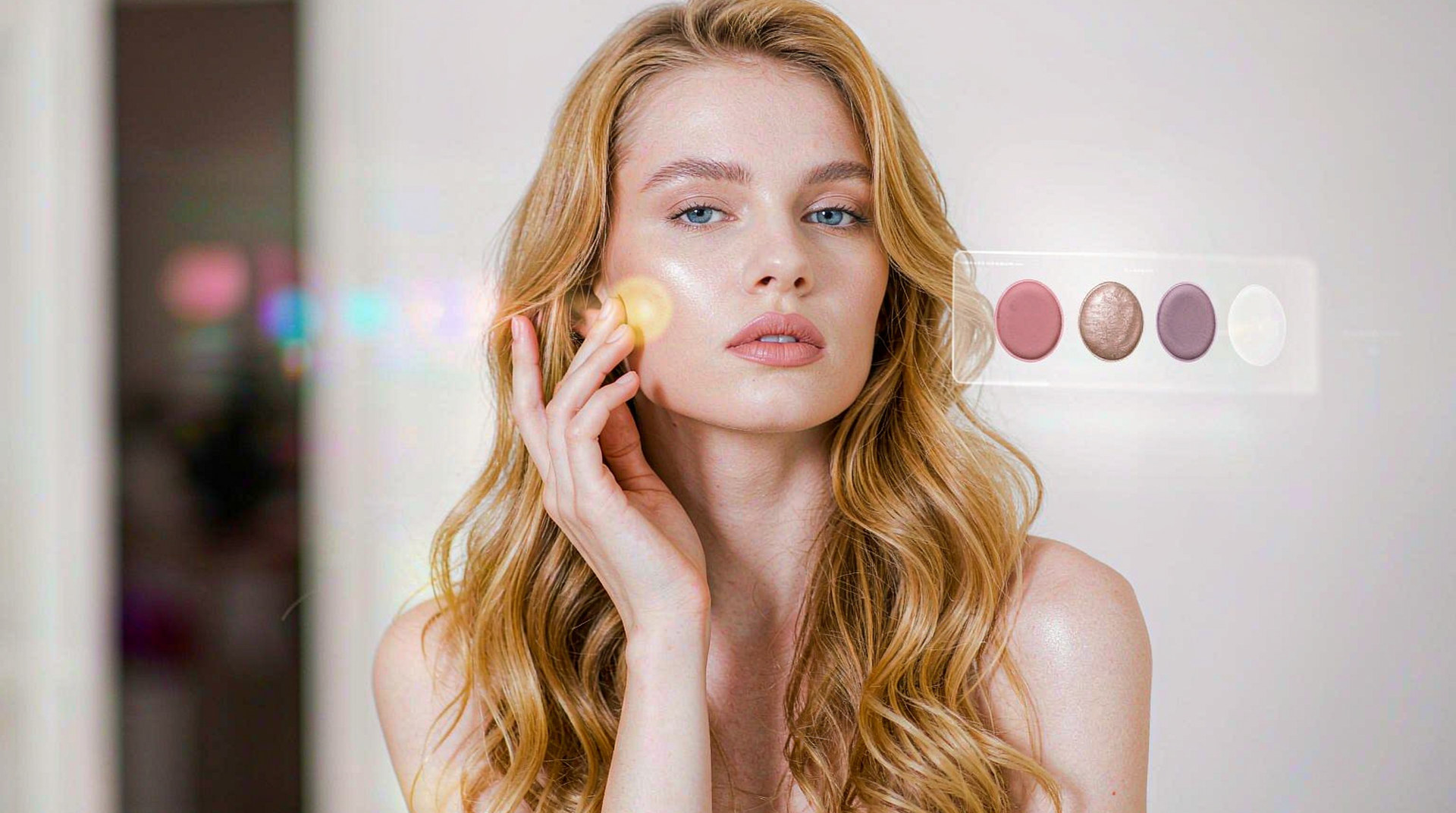
3. How the regions stay precise
Precision comes from landmark analysis. Each frame, the SDK places reference points along the facial structure — contour, eyes, brows, lips, nose — and the smoothing pass works inside the regions those landmarks describe. That is why the effect holds its shape as the face moves: the region recomputes per frame with the face, not once per session against a static mask.
Boundary behaviour deserves the emphasis it gets in the table: the transitions at eyes, brows, lips, and hairline are handled within the same processing pass that does the smoothing. The result is a retouch that survives close inspection — the full-resolution export holds up as well as the preview.
The snippet below is schematic. Names and signatures are illustrative, not the shipped API.
// Illustrative: applying a smoothing look with protected regions.
import { createBeautyRuntime } from "@meishe/beauty"; // placeholder name

const rt = await createBeautyRuntime({ platform: "android" });

await rt.looks.apply("look.natural.day");          // smoothing preset
await rt.looks.setLevel("smoothing", "standard");   // authored intensity
4. What this gives a product team
- A premium camera experience from day one. Users open the camera and see themselves at their best — the single most-remembered moment of a first session.
- Tuning that respects the brand. Authored intensity levels mean the product’s tone — natural, polished, glamorous — is a decision your team makes once and ships everywhere.
- Headroom for the full stack. Smoothing shares its detection pass with reshaping and makeup, so the beauty roadmap grows without re-architecture and without a second analysis cost.
5. Why teams choose Meishe
| Advantage | What it means for your project |
|---|---|
| Self-developed engine | The cross-platform audio/video processing engine used across the product family — over 20 years of development experience, more than 70 video-related patents |
| Real-time, no preprocessing | Smoothing renders the moment the camera opens |
| One detection pass | Smoothing, reshaping, and makeup share the same per-frame analysis |
| Boundary handling in-pass | Eyes, lips, and hairline hold detail at preview and export alike |
| Curated intensity levels | Light, standard, strong — tuned ranges your brand controls |
6. What shipping teams ask first
- How does smoothing behave on a device matrix? The same package serves the whole range — detection cadence adapts, so the effect holds from flagship to budget tier.
- Can smoothing run with makeup enabled together? Yes — both are layers of one stack from one detection pass; users can wear both at full frame rate.
- How is the intensity tuned for our product? Levels author with the content in the Asset Creation Platform — your designers set the presentation range, and every user sees that range.
The smoothing capability also earns its keep in export economics. Because region targeting and boundary handling run inside the normal render path, the full-resolution output needs no second pass — the clip a user shares is the clip they previewed, at the quality they previewed. Teams running upload pipelines value that predictability: no surprise reprocessing cost at export time, no quality gap between what was approved and what ships.
Between the preview moment and the shared clip, smoothing is the capability users attribute the whole camera to. Getting it right per region, per frame, at authored intensity, is the foundation the rest of the beauty catalogue stands on.
Two more notes from shipping teams. First, smoothing pairs naturally with the makeup layer: because they composite independently, a product can launch smoothing alone and add lipstick try-on a quarter later with no re-tuning of what shipped. Second, the smoothing preset catalogue is a product surface in its own right — teams that expose three named presets (natural day, polished evening, on-camera professional) see users settle on a favourite and stay, which is the behaviour every camera product wants more of.
A final word on where smoothing sits in a launch plan: it is usually capability number one, shipped before reshaping and makeup, because it is the effect every user notices and no user has to be taught. The SDK’s modular arrangement supports exactly that sequencing — smoothing enables first, the rest of the stack joins when the roadmap calls for it, and every later capability inherits the same detection foundation the smoothing launch already validated. The first feature ships the stack; everything after it is content and modules.
The launch checklist for smoothing is correspondingly short: enable the capability, apply your authored presets to the preview, verify the export matches, and read the first user sessions. Everything beyond that — regional tuning, seasonal presets, market-specific ranges — is catalogue work on a pipeline that already works, which is the pleasant kind of roadmap.
Teams often note the same thing a month after shipping smoothing: the camera simply feels finished. That feeling is the product of a hundred per-frame decisions happening invisibly, and it is why region-targeted, boundary-preserving smoothing remains the anchor capability of the entire beauty family.
FAQ
Does smoothing apply to recorded video as well as the live preview?
Yes. The same effect renders on capture, on the editor timeline, and on the live stream — one definition, three surfaces, consistent output.
What keeps the result looking natural rather than processed?
Two properties together: smoothing targets only the detected skin regions, and intensity presents through curated levels — both keep texture and detail where they belong.
Can users adjust smoothing themselves?
The presentation levels are authored per element — products typically expose light, standard, and strong, keeping user control inside a range the brand has approved.
How does smoothing behave with multiple faces in frame?
Detection locates faces per frame and smoothing applies per detected region — the capability scales with the scene the camera sees.
Does the smoothing preset update without an app release?
Yes. Presets are packages: a retuned look publishes through your own channel and reaches every platform at once.