

For live streaming and short video, beautification has to hold two jobs at once: look right on the outgoing stream, and stay stable for however long the session runs. The Face Beauty SDK serves both from one definition — the same looks users apply in the camera render on the stream and in the clip editor, with the per-frame stability a two-hour broadcast actually tests.
1. Product Positioning
For streaming and short video, the Meishe Face Beauty SDK runs reshaping, smoothing, and makeup compositing from one detection pass per frame, real-time with no preprocessing stage. Streaming surfaces run on iOS, Android, Web, and Desktop (Windows); smart hardware extends the family, and React Native plus Flutter join through the short-video solution. One stack serves capture, timeline editing, and live streaming: the effect definition is shared, so a look verified once appears on every surface.
2. What beauty does on each surface
| Surface | What the SDK delivers |
|---|---|
| Live stream | Beautification rendered into the outgoing frames in real time — the stream looks like the preview |
| Camera capture | The same looks applied live and baked into the recording |
| Clip editor | Effects evaluate on clips already on the timeline — consistency from shoot to edit |
| Long sessions | Per-frame detection with temporal stability, so the look holds steady through a full broadcast |
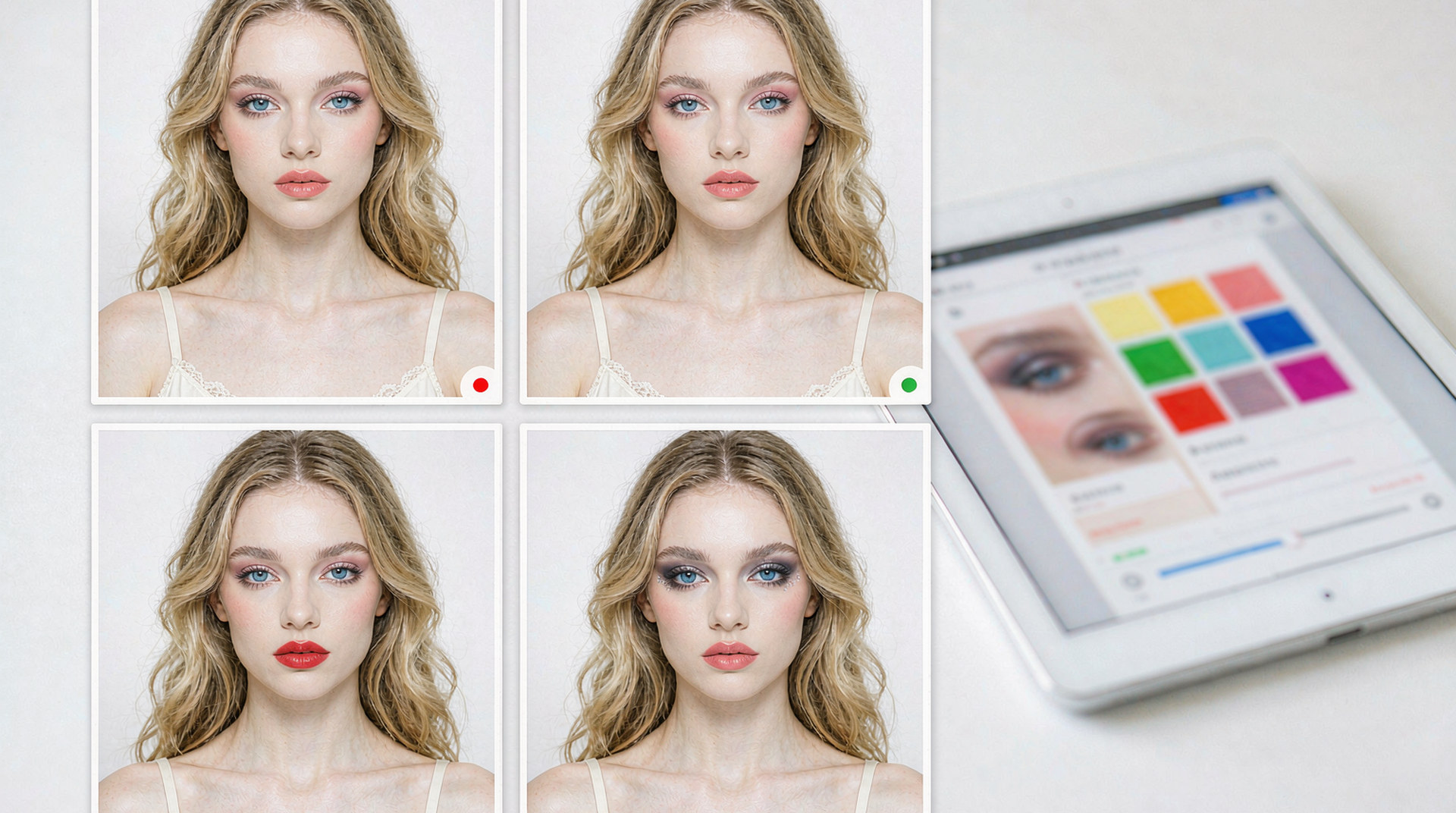
Because all three surfaces resolve the same packages, a streamer’s signature look — smoothing level, reshaping arrangement, makeup — is one configuration everywhere. Viewers see the streamer as the streamer sees the preview.
3. What stability means over a long session
Two SDK properties carry long broadcasts:
- Shared per-frame detection. Smoothing, reshaping, and makeup all read from the same analysis each frame — the beauty stack costs one pass, so the frame budget has room left for encoding.
- Temporal stability. The SDK stabilizes landmark motion across frames, which keeps small adjustments — the kind a natural look is made of — rendering smoothly instead of flickering. The effect users choose at minute one is the effect they wear at minute ninety.
Together these are why the streaming use case is a strength rather than a stress test: the stack is architected so that beauty rides the frame budget the stream already needs, rather than competing with it.
The snippet below is schematic. Names and signatures are illustrative, not the shipped API.
// Illustrative: one look definition across capture and stream.
import { createBeautyRuntime } from "@meishe/beauty"; // placeholder name

const rt = await createBeautyRuntime({ platform: "ios" });

await rt.looks.apply("look.broadcaster.01");  // preview, stream, and edit
await rt.looks.setLevel("smoothing", "standard");
4. What this gives a product team
- A streamer experience that differentiates the platform. Broadcasters stay with platforms where they look their best — beauty quality is retention infrastructure.
- Short-video velocity. Creators shoot with the same looks they stream with; the shoot-to-edit path never breaks visual continuity.
- Content-speed campaigns. Seasonal looks for the creator community ship as package publishes — the platform’s beauty catalogue refreshes on the marketing calendar.
5. Why teams choose Meishe
| Advantage | What it means for your platform |
|---|---|
| Self-developed engine | The cross-platform audio/video processing engine used across the product family, refined through years of shipping |
| Real-time, no preprocessing | Beauty renders from the first frame of the stream |
| One detection pass | The full beauty stack shares per-frame analysis, leaving budget for encoding |
| Temporal stability | The look holds steady across hour-long sessions |
| Cross-platform coverage | iOS, Android, Web, Desktop (Windows), smart hardware, React Native, Flutter |
6. What shipping teams ask first
- Does the streaming integration differ from the camera integration? The surfaces differ; the SDK is one stack — the same runtime serves both, and the same packages resolve on each.
- How does beauty behave on mid-tier streaming hardware? Detection cadence adapts within the same package, so the creator device matrix is covered by one library.
- Can each creator save their own look? Yes — looks are content identifiers; your app stores a creator’s configuration and re-applies it across sessions and surfaces.
Streaming platforms also get an operational dividend: because beauty rides the existing frame pipeline, there is no separate beauty mode to operate or monitor. The feature your broadcasters see is simply the camera working as expected — every session, every device, every duration — with the platform’s catalogue behind it refreshing on its own schedule.
When the roadmap later adds makeup try-on or seasonal looks for creators, those arrive on the same stack: no re-architecture, no second integration season, just more packages on the runtime the stream already runs.
A final planning note: the beauty catalogue for a streaming platform usually starts smaller than teams expect. A handful of well-reviewed looks covers the broadcaster population; the long tail of preference is served by the levels users adjust themselves. Content effort concentrates where it is visible, and the platform’s beauty identity forms around a curated core rather than an unmanageable menu.
Beauty on the stream also compounds with the interaction features elsewhere in the effects family: gesture-triggered effects give broadcasters hands-free control mid-session, and segmentation opens background styling for the stream set. Each of those arrives on the same runtime the beauty stack already occupies, which is how a streaming product’s feature list grows without its integration debt growing with it.
The summary for a streaming product’s beauty decision: the SDK treats the stream as a first-class surface rather than an afterthought of the camera. Looks render into the outgoing frames with the same stability and the same content pipeline as capture, creators keep their identity across surfaces, and the platform’s beauty catalogue becomes an asset that compounds season after season instead of a feature that ages.
And because the same definition serves the editor timeline, the short-video workflow closes its own loop: shoot with the look, cut with the look, publish with the look. No step of the creator pipeline reintroduces a quality decision the broadcaster already made — the look is the look, from the first preview frame to the exported file.
FAQ
Does beautification add latency to the outgoing stream?
Rendering happens per frame in real time as part of the existing pipeline — beauty rides the frame budget rather than adding a processing stage in front of it.
Can a creator use different looks for stream and for edited clips?
They can — but the default path is one look everywhere, which is exactly what keeps a creator’s presence consistent across surfaces.
How do seasonal looks reach the creator community?
As package publishes through your channel — every creator on every platform picks the new collection up at once.
Does the SDK handle multi-guest streams with several faces?
Detection locates faces per frame and applies beauty per region, so multi-person scenes receive the same treatment single shots do.
What happens if a stream runs on desktop instead of mobile?
Desktop (Windows) is a covered platform — the same packages resolve there, which keeps a cross-device creator programme consistent.