

Gesture detection inside the Face AR SDK is a small trigger set with a large product surface: a raised hand starts an effect, a wave switches the sticker, a clenched fist advances a template step. Each trigger is an event your app wires to whatever action the moment needs — which is why the same three gestures power recording controls, live-stream interactions, and guided capture flows across very different products.
1. Product Positioning
Meishe Face AR SDK delivers props, stickers, and gesture detection on the cross-platform audio/video processing engine used across the product family, rendered with real-time rendering without pre-processing. Gesture triggers fire on iOS, Android, Web, Desktop (Windows), and smart hardware; the React Native and Flutter paths run through the short-video solution. Gesture triggers share the stack’s one detection pass — interaction rides the same per-frame analysis that anchors props and drives beautification.
2. The trigger set
| Trigger | The event | Where products use it |
|---|---|---|
| Raised hand | gesture:raise | Start an effect, begin recording, trigger capture |
| Wave | gesture:wave | Cycle stickers, switch looks, page through a gallery |
| Clenched fist | gesture:clench | Advance template steps, confirm a selection |
The set is deliberately compact: three gestures users already know from daily interaction, each mapping to one unmistakable event. Products compose them into flows rather than memorizing vocabularies.
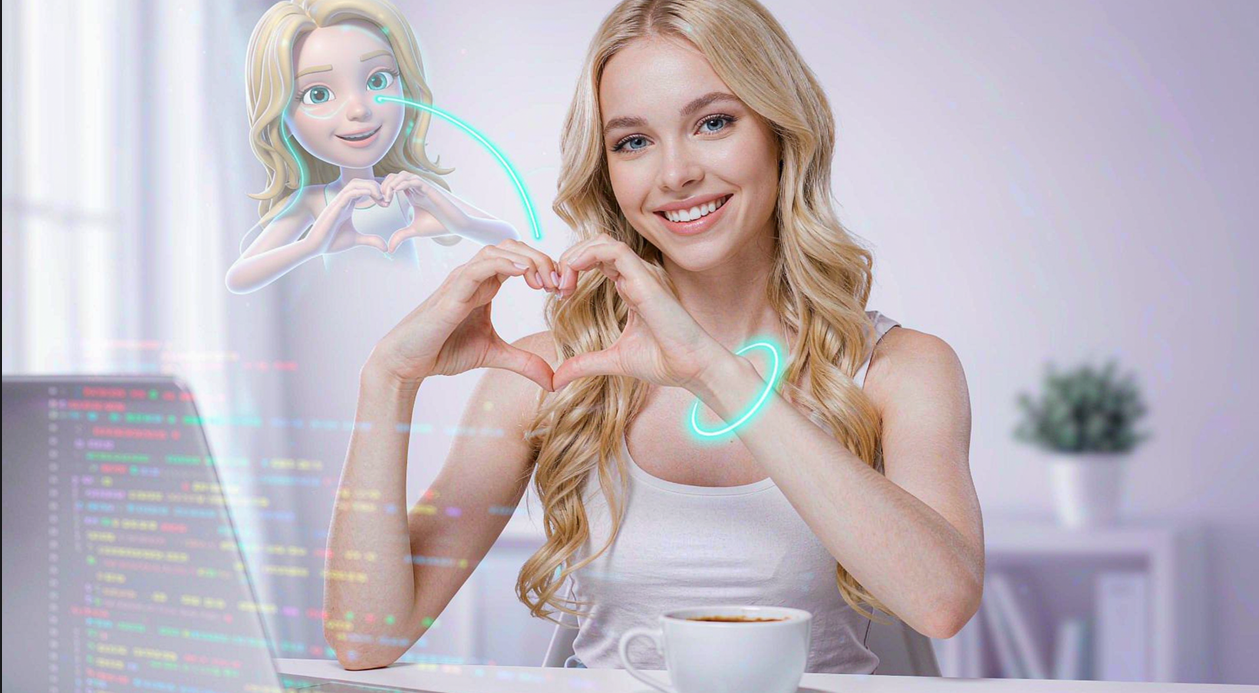
3. Use cases the triggers power
Solo recording. Raise starts the take, wave cycles the sticker mid-session — the creator never reaches for the UI, and the recording keeps both hands in frame where they belong.
Live streaming. Streamers trigger effects while presenting — the wave that switches a background or launches a prop reads as performance, not operation, and viewers see the interaction happen.
Guided capture flows. Template-driven experiences advance on a fist: each step completes hands-free, and the flow feels like a game rather than a form. Photo booths, onboarding captures, and party modes all live here.
Group moments. A raised hand triggers the group shot — no timer sprinting, no missing photographer.
The snippet below is schematic. Names and signatures are illustrative, not the shipped API.
// Illustrative: three triggers wired to a recording flow.
import { createEffectsRuntime } from "@meishe/ar-effects"; // placeholder name

const rt = await createEffectsRuntime({ platform: "android" });

rt.on("gesture:raise",   () => recording.start());
rt.on("gesture:wave",    () => props.cycle());
rt.on("gesture:clench",  () => template.nextStep());
4. Why the trigger set stays small
Product teams sometimes ask for more gestures; the strong products resist. Three reasons the compact set wins:
- Learnability is the feature. Users who discover wave-to-switch in one session own it forever; a larger vocabulary splits attention between the camera and a manual.
- Composition beats vocabulary. The same three events, rewired per flow, cover recording, streaming, and guided modes — the product’s creativity lives in the wiring, not the list.
- Each trigger stays unmistakable. A wave is a wave across lighting, distance, and audience — the compact set holds its reliability precisely because it is small.
5. Why teams choose Meishe
| Advantage | What it means for your project |
|---|---|
| Self-developed engine | The cross-platform audio/video processing engine used across the product family, refined through years of shipping |
| Real-time, no preprocessing | Triggers fire the moment the gesture happens |
| One detection pass | Gestures share the stack’s analysis — interaction is free in budget terms |
| Stable event contract | The same events on every platform and framework path |
| Part of the effects family | Interaction joins props, filters, and beauty from one integration |
6. What shipping teams ask first
- How fast can we wire triggers to our flows? The event contract is the integration — map each event to an action and the interaction layer is live.
- Do triggers conflict with beautification or props? No — all capabilities share one detection pass and render as one stack.
- Which flow should demo first? Wave-to-switch with a visible prop: the effect changing on a wave communicates the capability instantly.
A note on where the trigger set came from: it is the vocabulary camera products converged on — raise, wave, clench appear across recording, streaming, and guided flows because they map to movements users already make. The SDK ships exactly that convergence, and products spend their creativity on the response side, where their brand lives.
That division — stable triggers, evolving responses — is also why the capability ages well. Seasonal prop families refresh what a wave does this quarter; the wave itself, and its reliability, stay exactly what users learned in their first session.
The trigger catalogue, end to end, is three events and the product’s imagination — in that order, deliberately.
For analytics teams, the event contract pays a quiet dividend: every gesture is a countable signal, so interaction patterns — which trigger users lean on, which flow they complete — arrive as clean data rather than UI telemetry archaeology. The interaction layer documents its own usage.
And because the same events fire on every platform, that data is comparable across surfaces from day one: the wave rate on Web means the same thing as the wave rate on iOS, and the flow comparisons write themselves.
Worth naming the sequencing pattern that ships most often: launch with raise-to-record and wave-to-switch wired to the hero prop family, then let analytics decide the third trigger’s home. The clench finds its flow — template steps, confirmations, party modes — from usage rather than speculation, and the trigger set stays exactly as small as it launched.
The compact set also keeps support quiet: users who master three triggers in one session rarely file confusion tickets, and the flows built on those triggers behave identically across platforms, so the support team answers once for everyone. Interaction features are usually support-heavy at scale; this one is engineered not to be.
That is the trigger catalogue’s final argument: it respects the user’s time, the team’s time, and the product’s appetite for risk, in three events flat.
Three events, one contract, every flow you can design — the catalogue is complete on purpose.
And its completeness is why the capability keeps shipping year after year: nothing about the compact set needs maintaining, and everything it triggers grows with your catalogue for free.
FAQ
Do the triggers work through React Native and Flutter?
Yes — events arrive at the framework layer through the short-video solution, the same contract as native.
How do gestures behave with multiple people in frame?
Detection reads the scene per frame; flows that want a single controller scope the trigger in their product logic.
What does adding gestures to an existing camera take?
The stack is already running the detection — wire the events to actions, and the interaction layer is live.
Can gestures drive non-effect actions like capture and navigation?
Yes — the events are generic signals; products wire them to any action the flow wants, from recording to paging a gallery.
Does the trigger set work the same through the cross-framework paths?
Yes — Flutter and React Native receive the same events through the short-video solution, so flows written once run everywhere.